 QRtoCash
Why I built this
I built this for a friend who sells things in person and takes Cash App, Venmo and PayPal. The goal was simple: set the price, show a code, get paid. No backend, no fees, no account to set up.
When a buyer mistypes your handle, the money goes to a stranger, and you don't find out until it never arrives. A QR code takes the typing out of it. They scan it and they're on your page.
How it works
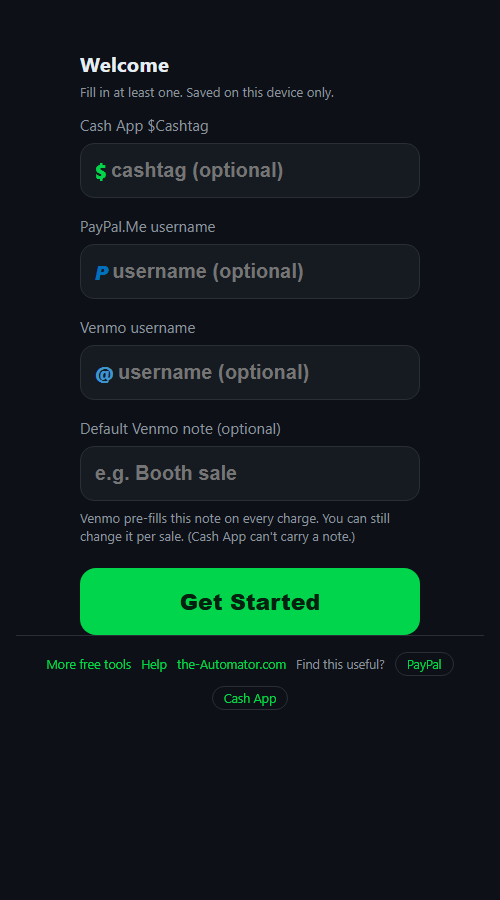
- Set up once. Tap the gear and enter your Cash App $cashtag, PayPal.Me username, Venmo username, or any mix of them. At least one is needed.
- Type the price. Use the keypad to enter the amount for this sale.
- Pick how they'll pay. If you set up more than one service, tap Cash App, PayPal or Venmo at the top. For Venmo you can add a note.
- Tap Generate QR. Show the screen to your buyer. When they've paid, tap Done and you're ready for the next sale.
What each service supports
Cash App and PayPal.Me links carry the amount but not a note. Cash App ignores notes in links, so I don't pretend otherwise. PayPal amounts are in US dollars.
Venmo links carry the amount and a note. You can save a default note, like "Booth sale," change it for one sale, and it resets to your default afterward.
Each service gets its own color on screen, so you can tell at a glance which one is active.
Printing or sharing a code
Need a code for an invoice or a sign on the table? Tap Copy QR image and paste it into your document. Copy link gives you the plain payment link to text or email. On iPhone Safari, which won't copy images, the link is copied instead.
For printed codes, go at least about an inch across, use plain black on white, and leave white space around the edge. Most important: scan your own code with a phone before you put it out, and check it lands on the right account.
Why I ask for your email
It tells me who is actually using the tool, which helps me decide what to keep building.
Your payment details are another matter. The QR code is made on your device, and your handles and default note are saved in your browser. They aren't stored on any server. The code itself only holds a link to your payment page, the same thing you'd tell a buyer out loud.
I might send you a note now and then about other free tools I build. I will never sell or give your email to anyone else.
Questions people ask
Is it free?
Yes. No fees from me. You pay whatever Cash App, Venmo or PayPal normally charge you.
Is it safe to show the code in public?
Yes. It only points at your payment page, which is the same as telling someone your handle. It can't take money out of anything.
Does the code expire?
No. It keeps working as long as your payment account does.
Does it work without a connection?
Yes. Once the page has loaded it works offline, so you can make codes at a market with bad signal. The buyer's phone needs a connection to pay.
Can I use it on my phone and my computer?
Yes. It runs in any modern browser. Settings are saved per device, so enter your handles on each one.